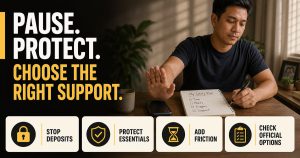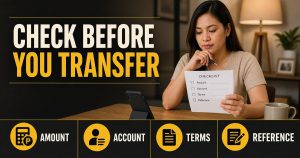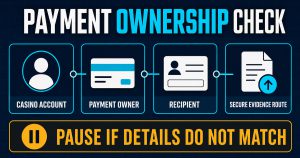
Before you register, upload an ID, or send money to an online casino, verify the exact website—not just the brand name on the screen. A polished design, an HTTPS padlock, a regulator logo, or a high search position can be copied. Useful verification connects the final domain to a named company, a current official record, coherent terms and privacy information, a support route you verified independently, and payment details that match.
Quick answer: Record the final hostname in your browser, then compare it character by character with the current domain shown by the relevant regulator or named company. Next, match the brand, company/operator, terms, privacy notice, support contact, responsible-gaming controls, and payment recipient. If a material item is missing, mismatched, or cannot be confirmed, stop before registering or paying and ask for written clarification through a verified channel.
This article teaches a verification method. It does not verify, recommend, licence, endorse, or make a safety or payout claim about SuperAce88 or any other casino website.
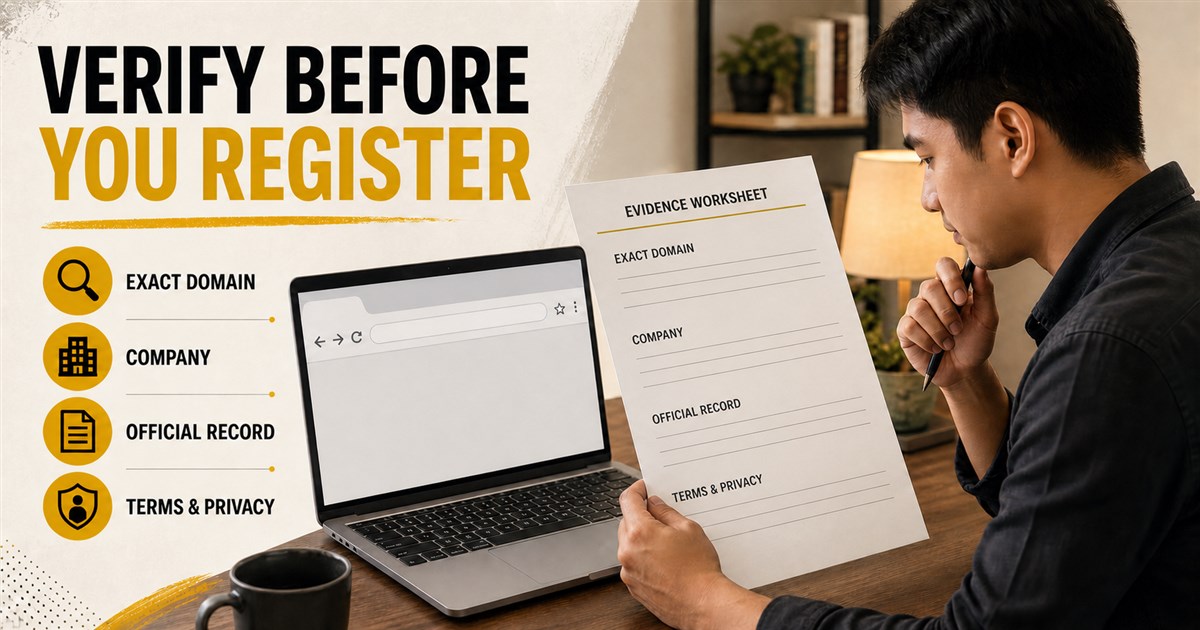
Step 1: Check the exact domain, not the logo
On a mobile screen, a long address can hide the part that matters. Tap the address bar and read the full hostname. Ignore the page title, button text, logo, and words placed before or after the real domain.
Break the address into these parts:
- Scheme:
https://shows how the browser connects. - Hostname: the complete domain shown before the next slash.
- Registrable domain: the core domain controlled by the owner, such as
example.com.ph. - Subdomain: a label before the core domain, such as
help.example.com.ph. - Path: everything after the first slash, which does not change who controls the hostname.
A name placed in the path does not make a site official. For example, other-site.example/casino-brand is controlled by other-site.example, not by the brand named after the slash. Likewise, casino-brand.fake-example.com is a subdomain of fake-example.com.
Check where the link ends after all redirects. Save the final URL, not only the link you first tapped. Look for misspellings, added hyphens, swapped letters, unusual top-level domains, or a different domain appearing at registration or payment.
HTTPS protects the connection, not the business claim
HTTPS matters because it encrypts data while it travels between your browser and the website. It does not prove that the operator is licensed, that the site is fair, that a payment recipient is legitimate, or that a withdrawal will be approved.
The US Federal Trade Commission notes that scammers can also encrypt websites. In other words, a valid padlock can protect data on its way to the wrong person. Treat HTTPS as one technical requirement, never as the final trust decision.
| Signal | What it can show | What it does not prove |
|---|---|---|
| HTTPS/padlock | The browser connection is encrypted | Operator identity, licence, fairness, privacy practice, payment safety, or payout |
| Brand logo | The page displays an image or name | Ownership, authorization, or official relationship |
| Certificate or licence image | The site makes a claim | That the record is genuine, current, covers the exact domain, or belongs to the displayed company |
| Top search result or paid ad | The page was shown prominently | That the contact or website is official |
| Positive review or testimonial | Someone published an opinion | Current legal status, operator identity, payment rules, or your likely outcome |
Step 2: Match the domain to a current official record
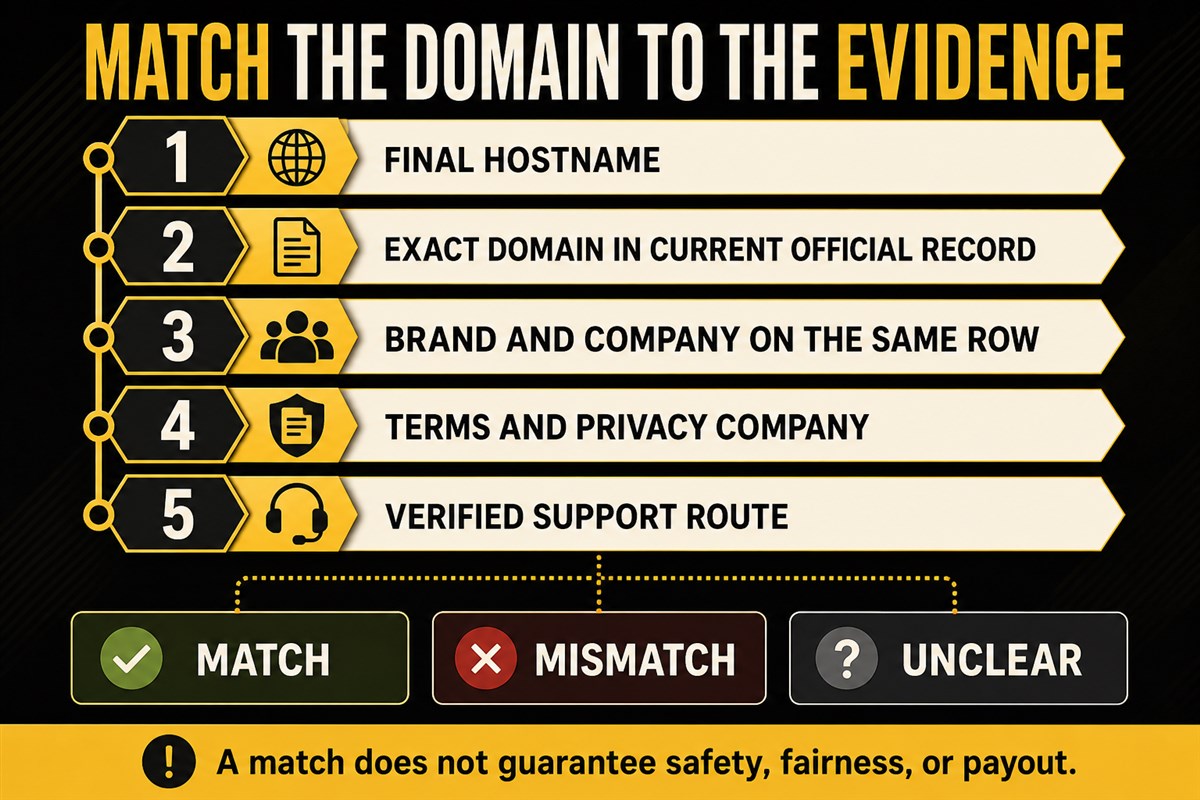
PAGCOR publishes regulatory pages and lists that pair registered brands with domain names or URLs for the categories it oversees. PAGCOR has also told the public to verify online gaming platforms before playing or making payments.
Start from the current PAGCOR Electronic Gaming Licensing page or another current official regulator page that applies to the claimed jurisdiction. Do not begin from a licence screenshot supplied by the casino, an affiliate badge, or a copied PDF hosted on another domain.
- Write down the final hostname you are checking.
- Open the regulator page directly and note the date/version of its current list.
- Find the exact domain, not only a similar brand word.
- Record the company, administrator or licensee shown on the same official entry.
- Check whether the category and scope described by the list actually match the service you are viewing.
- Save the official URL and check date. Do not rely on a cropped screenshot alone.
A missing or mismatched entry is not automatically proof of fraud. Lists can change, companies can use different approved structures, and you may be checking the wrong regulatory category. But it is a reason to stop before registration or payment and request clarification from the regulator or a contact route independently verified from the official record.
SuperAce88 scope note: This page has not established the operating company, licence, regulator relationship, approved registration domains, or payment recipients for SuperAce88. Do not treat the presence of this guide on a SuperAce88-branded content site as evidence of any of those facts.
Step 3: Connect the brand to a named company
A brand is not the same as a legal entity. Look for the company or operator named in the terms, privacy notice, footer, complaint process, and regulator record. The names should form a coherent chain.
Write down:
- public-facing brand name;
- exact domain and any registration/payment domain;
- named contracting or operating company;
- company address and official contact, if published;
- regulator, licence or registration number claimed;
- company and domain shown in the current official record.
Stop if one page names a different company without explanation, the terms omit the company entirely, the registration link leaves the verified domain chain, or the payment recipient cannot be connected to the named operator. Ask for a written explanation; do not fill the gap with assumptions.
Step 4: Read the terms as a decision document
Terms should tell you who can use the service and what governs the account. Before registration, check whether you can find and understand at least:
- age, location, and account eligibility;
- one-account and identity-verification rules;
- deposit and withdrawal methods, ownership requirements, limits, fees, and review conditions;
- bonus opt-in, wagering, game contribution, expiry, maximum bet, and withdrawal restrictions;
- account suspension, closure, timeout, self-exclusion, and remaining-balance handling;
- complaint and dispute process;
- the date or version of the terms.
Do not interpret unclear terms in the casino’s favor or your own. If the promotion card and full terms conflict, save both and ask which rule controls before opting in. Do not deposit to “test” a rule that should have been disclosed first.
Step 5: Check the privacy notice before uploading ID
Casino registration and verification can involve identity, contact, device, transaction, payment, account-activity, and support-chat data. The Philippines National Privacy Commission explains that a person should be informed about the personal data collected, the purpose and basis of processing, processing scope, recipients, automated access, controller identity and contact, retention, and data-subject rights.
Open the privacy notice before entering data and find:
- the identity and contact of the personal information controller;
- which data is collected and from where;
- why it is used and the stated basis;
- who receives it, including providers or other companies;
- how long it is retained or how retention is decided;
- how to request access, correction, objection, erasure/blocking, or make a complaint;
- whether the privacy-company/domain relationship matches the terms and regulator record.
A privacy notice is not a safety certificate and does not automatically prove good practice. It gives you claims and contacts to compare. Do not upload identity documents through a link sent by an unverified chat account or social-media profile.
Step 6: Verify customer support independently
Fake support details can appear in ads, messages, search results, and copied social profiles. The FTC advises contacting a company through a website or number you know is real rather than using the information in a suspicious message.
Start from the exact domain you already verified. Check whether the same support details appear in the terms, privacy notice, account help area, and official company or regulator record. Ask one pre-registration question that requires a specific answer, such as:
Please identify the legal company operating this exact domain, link the current terms and privacy notice, and explain where I can verify the domain and licence claim through the relevant regulator. Please also provide the written account-closure, self-exclusion, KYC, and withdrawal rules that would apply before I register or pay.
Do not send a password, one-time code, full card number, remote-access permission, or identity document merely to ask this question. A response that creates urgency, asks for an advance “verification” payment, or moves you to an unrelated private account is a stop signal.
Step 7: Check responsible-gaming and account controls
A usable site should make age/eligibility, responsible-gaming, limits, timeout, closure, self-exclusion, and help information findable before the reader is under pressure. Check what each control actually does rather than accepting the label.
Verify duration, reversibility, brands/accounts covered, marketing removal, pending-balance handling, and written confirmation. Platform tools vary. The existence of a generic responsible-gaming page does not prove that a specific control is available or that a formal regulator exclusion covers the site.
For current Philippines general information, use the official PAGCOR Responsible Gaming page. This is a source for general guidance, not proof of a platform relationship.
Step 8: Build a payment-before-evidence pack
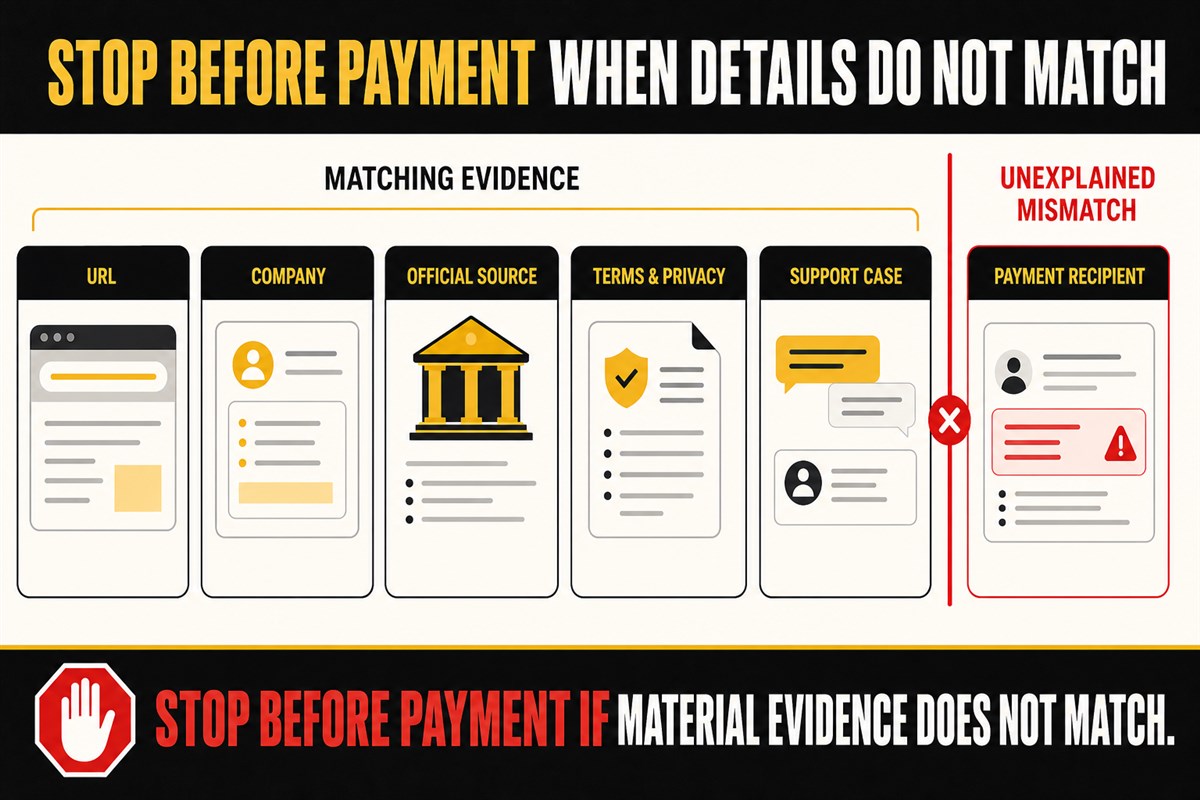
Do this before money moves. Store the record privately and redact it before sharing with anyone who does not need the full detail.
| Evidence | What to record | Stop signal |
|---|---|---|
| Website | Final URL, hostname, redirect path, date and screenshot | Registration or payment moves to an unexplained domain |
| Company/regulator | Brand, company, official record URL, category and check date | Names or domains do not match and support cannot explain why |
| Terms/privacy | Current URLs, dates/versions, relevant withdrawal/KYC/bonus/privacy sections | Pages are missing, blank, undated, or contradict the offer |
| Support | Verified contact route, question, answer and case/reference number | Contact exists only in an ad/message or asks for credentials/payment |
| Payment | Recipient name, method, currency, amount, stated fee, reference and ownership rule | Unexplained personal recipient, changed wallet/account, secrecy, or urgency |
Do not treat a small successful deposit or withdrawal as proof that future payments will be safe or approved. It is only one transaction record. Do not send money solely to unlock an account, prove identity, release a prize, or obtain support.
Use a match, mismatch, or unclear decision
| Outcome | Meaning | Next step |
|---|---|---|
| Match | The exact domain, company, regulator record, terms, privacy, support, and payment identity are coherent | Record the evidence; remember that a match does not guarantee safety, fairness, or payout |
| Mismatch | One or more material names, domains, recipients, or documents conflict | Stop before registration/payment and request written clarification from an independently verified source |
| Not found or unclear | The evidence is unavailable, stale, ambiguous, or in the wrong regulatory category | Do not guess; ask the regulator or named company and wait for a verifiable answer |
Frequently asked questions
Does HTTPS mean an online casino is safe?
No. HTTPS means the browser connection is encrypted. It does not prove who operates the site, whether a licence claim is current, how data is used, or whether a withdrawal will be paid.
Is a PAGCOR logo proof of a licence?
No. PAGCOR has warned about unauthorized logo use, fake websites, and fraudulent certifications. Verify the exact domain and company through PAGCOR’s current official pages or contact route.
If I cannot find a domain in a list, is the site definitely illegal?
Do not make that conclusion from one search. You may have the wrong category, an old list, or an incomplete company name. Treat the result as unresolved and stop before paying while you seek current clarification from the relevant official source.
Does this guide verify SuperAce88?
No. It does not verify or endorse SuperAce88 and does not establish its operator, licence, regulatory status, official domains, safety, support, payment recipients, or payout record.
What is the most important check before payment?
There is no single badge that replaces the full chain. At minimum, the exact domain, named company, current regulator record, terms, privacy notice, support route, and payment recipient should be coherent and preserved in a dated record.
Official and primary sources
- PAGCOR Electronic Gaming Licensing
- PAGCOR Guarantee launch notice
- PAGCOR warning about fake gaming websites and logos
- National Privacy Commission: Right to Be Informed
- FTC: HTTPS limitation and online recordkeeping
- FTC: Recognize and Avoid Phishing Scams
Official lists, terms, domains, and contacts can change. Recheck the primary source immediately before registration, document upload, or payment.