
An online casino account can connect identity, payment, transaction, device, and support records. Protect it as you would an account linked to money: verify the exact domain before every sensitive action, use a unique password and multi-factor authentication where available, and never share a password, OTP, recovery code, or remote access with “support.”
Quick answer: If an unexpected message says your account, bonus, deposit, withdrawal, or identity needs urgent action, do not use its link, QR code, APK file, phone number, or social profile. Open a website or app you independently verified, check the account there, and preserve the suspicious message.
This guide does not claim that SuperAce88 offers a password manager, MFA, encryption, security monitoring, device controls, an official app, or any other security technology. It does not describe any website as 100% safe.
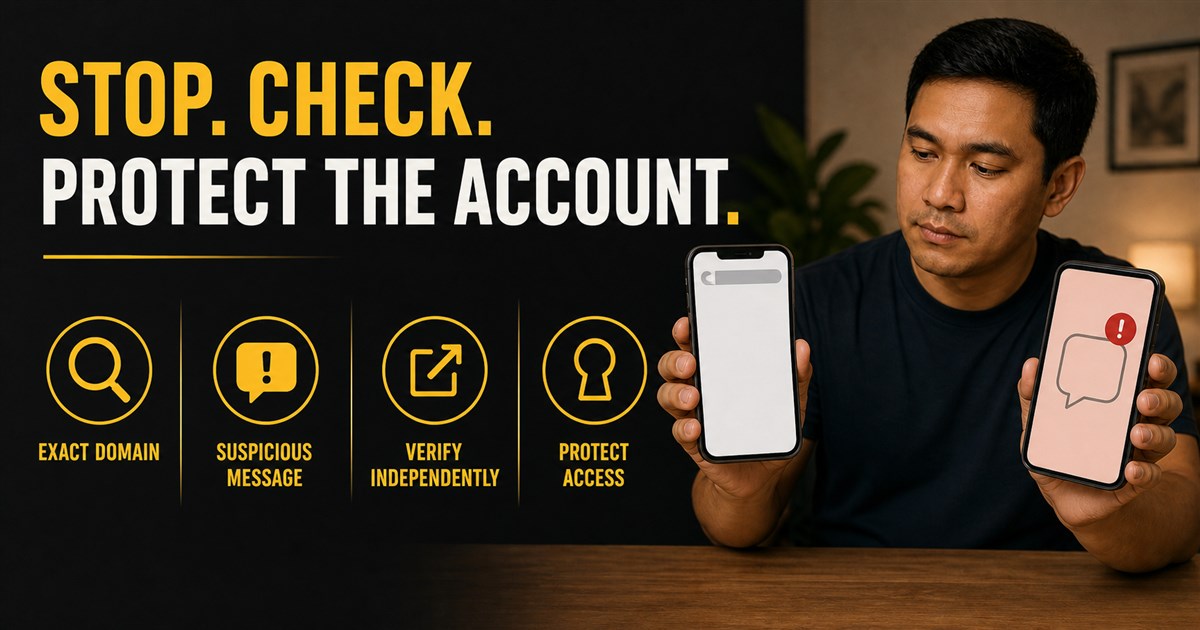
Use one exact-domain rule for every sensitive action
Check the final hostname before login, password reset, KYC upload, payment, withdrawal, support chat, or app download. A brand name in a page title, path, subdomain, ad, or social profile is not proof of control.
- Type or use a bookmark for an address you verified independently.
- Tap the mobile address bar and read the full hostname.
- Check every redirect, especially when moving to registration, payment, KYC, or support.
- Do not sign in when the password manager does not recognize the domain; stop and inspect why.
- Remember that HTTPS encrypts the connection but does not prove the operator is legitimate.
Use a unique password and password manager
A reused password turns one breach into several account takeovers. Use a long, unique password or passphrase for the casino account and a different one for the linked e-mail. A reputable password manager can generate and store unique credentials and may provide a warning when the domain does not match the saved login.
Do not store passwords in chat, screenshots, notes shared across devices, or browser forms on a public/shared device. Do not tell support a password “for verification.” The platform should be able to verify the account without learning the current password.
Use MFA where available, but understand its limit
Multi-factor authentication adds another proof beyond the password. That generally reduces takeover risk, but it is not a guarantee. A phishing page can ask for an OTP immediately after stealing a password, and a person on the phone can try to persuade you to read the code aloud.
Use the strongest factor that the verified service supports. Protect the e-mail and mobile account used for recovery as well. Never approve an MFA prompt you did not initiate. If a prompt appears unexpectedly, deny it, change the password from a known device/domain, and review active sessions.
OTP and remote-access requests are hard stops
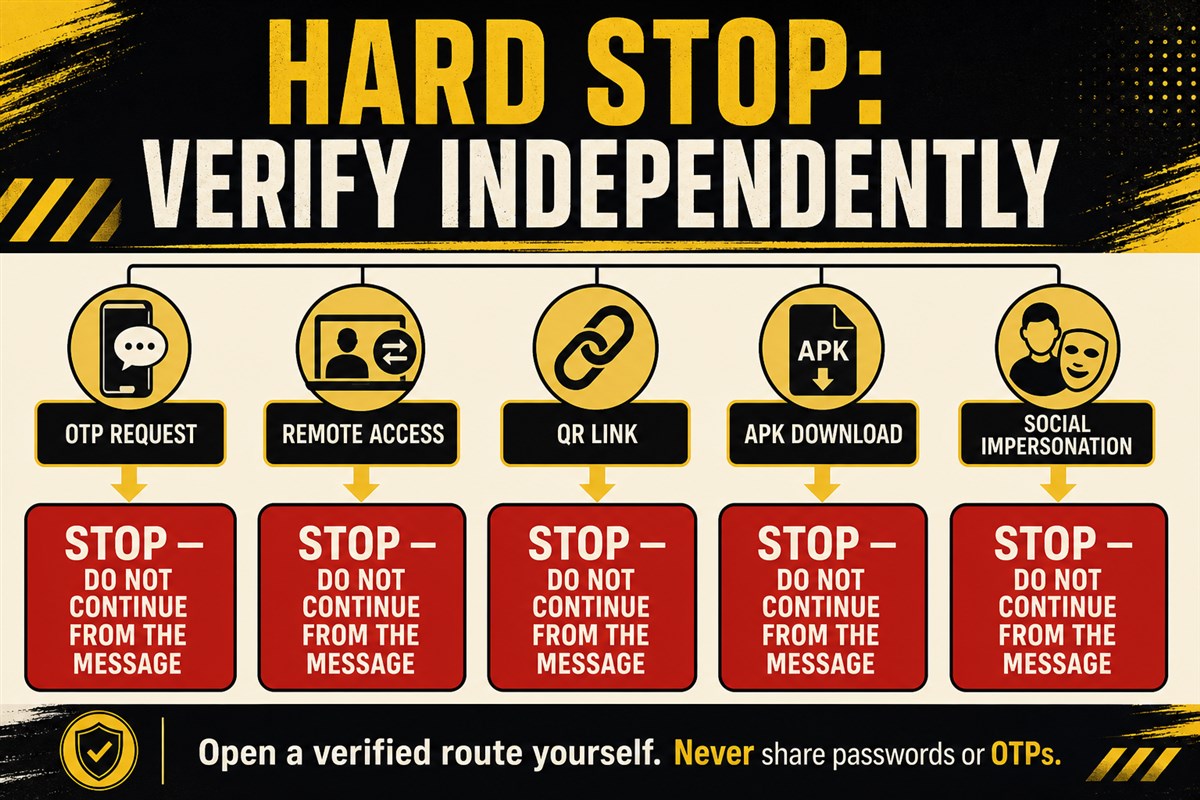
An OTP, authenticator code, recovery code, PIN, or password is for your authentication—not for a support employee. The US Federal Trade Commission warns that anyone asking for your account verification code is trying to access the account.
Stop if someone asks you to:
- read or forward a verification code;
- approve an unexpected login or payment prompt;
- install remote-control or screen-sharing software;
- share the screen while entering a password, OTP, bank detail, or wallet seed phrase;
- temporarily disable device security, antivirus, Play Protect, or MFA;
- move money to a “safe,” “verification,” or “recovery” account.
End the contact, preserve its details, and reopen support through a route you independently verified.
Do not install an APK sent through chat, QR, or social media
An APK is an Android installation package. Google warns that apps downloaded from unknown sources can put the device and personal information at risk. Google Play Protect can check apps and warn about harmful behavior, but no automated check makes every app safe.
Before installing any gaming or payment app:
- verify whether the platform publishes an app at all;
- reach the store listing from a domain and publisher record you independently confirmed;
- check the developer/publisher name, package identity, update history, permissions, and store warnings;
- reject requests to enable installation from an unknown source merely to receive a bonus, fix a withdrawal, or pass KYC;
- do not install a file delivered directly by a stranger or support account.
This article does not identify an official SuperAce88 app or APK.
Treat QR codes as links you cannot read at a glance
A QR code can open a spoofed login, start a download, or route to a payment address. The FTC advises inspecting the URL before opening an unexpected QR code and avoiding codes in urgent unsolicited messages.
Do not scan a QR code to “unlock” a withdrawal, verify an account, claim a bonus, install an app, or contact support unless you first verified its source and destination independently. If the phone shows a preview URL, inspect the complete hostname. When in doubt, close it and navigate through the known site instead.
Social profiles and messages can impersonate support
A copied logo, verified-looking username, follower count, testimonial, or knowledge of your name does not prove that an account belongs to the business. Business impersonators may say there is an account problem or prize and then request a link click, data, access, or payment.
| Lure | Safe response |
|---|---|
| “Your withdrawal will be canceled in 10 minutes” | Check the status inside the independently verified account; do not use the message link |
| “Send the OTP so I can verify you” | Do not share it; end the contact |
| “Install this APK to fix KYC” | Do not install; verify the publisher and official distribution route |
| “Scan this QR to move funds” | Do not scan/pay; verify the request from the known account/support route |
| “Pay a release fee to this new wallet” | Stop and preserve evidence; do not transfer |
Protect the session and device
- Keep the operating system, browser, app store, and security tools updated.
- Use a device screen lock and do not leave an account open on a shared device.
- Review active sessions/devices if the verified platform provides that feature.
- Log out of devices you do not recognize and change credentials from a known clean device.
- Remove browser extensions or apps you do not recognize.
- Protect the e-mail, mobile number, bank/e-wallet, and password-manager account connected to recovery.
Feature availability varies. This list does not claim that SuperAce88 has a session/device dashboard, login alerts, MFA, or other control.
If you clicked, scanned, installed, or shared information
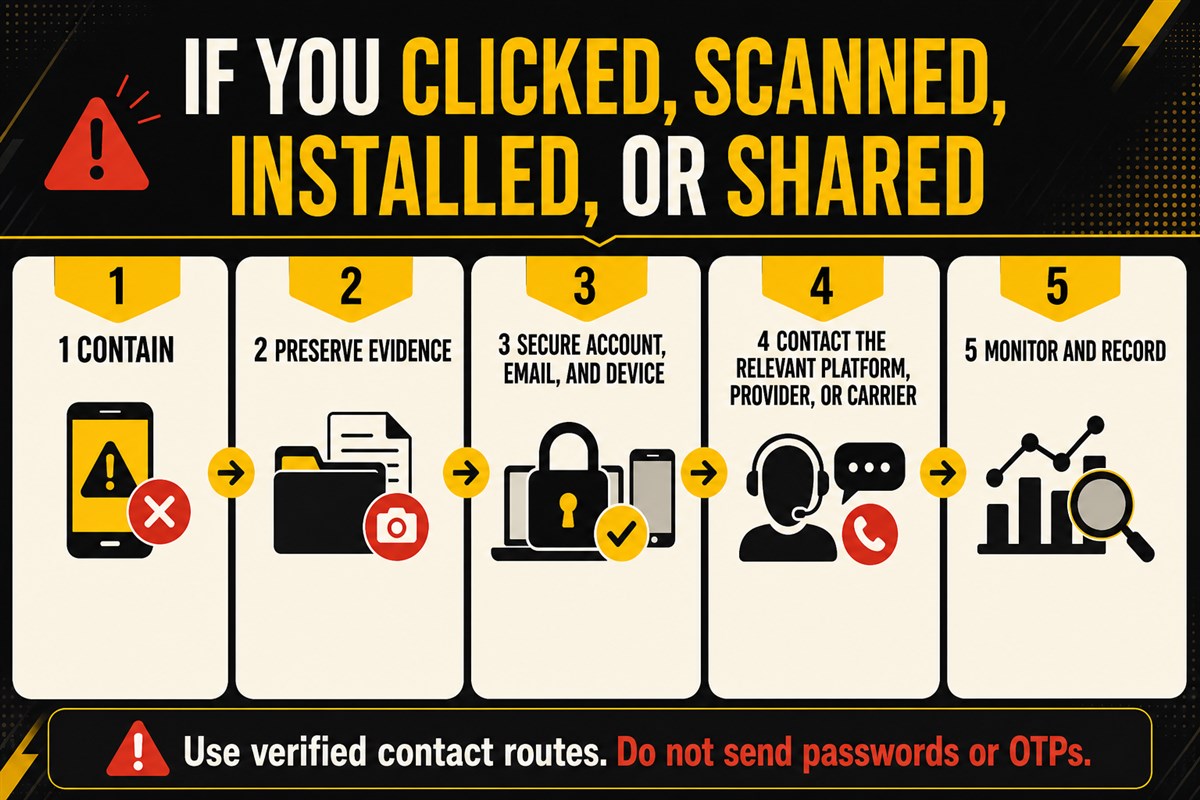
Act from a different, trusted route or device when possible. Do not continue chatting with the suspicious account.
- Disconnect remote access and stop any transfer still in progress if your provider allows it.
- Preserve the original message, sender/profile, URL, QR image, filename/package, permissions, timestamp, transaction reference, and screenshots.
- Change the affected password and linked e-mail password from the verified domain/device; do not reuse either password.
- Revoke unknown sessions, recovery methods, connected apps, API keys, or device access where the relevant provider offers those controls.
- Contact the platform, e-mail provider, bank/e-wallet/card issuer, mobile carrier, app store/device provider, or regulator through a known official route according to what was affected.
- Monitor for unauthorized account, payment, SIM, or password-reset activity.
These steps may reduce further harm but cannot guarantee recovery. Do not pay a person who promises to recover an account or funds.
Build an incident evidence pack
| Evidence | Record privately |
|---|---|
| Contact | Sender name/handle, profile URL, phone/e-mail, platform and timestamp |
| Destination | Full URL/hostname, redirect chain, QR preview, app/package name |
| Action | What was clicked, entered, installed, approved, shared, or paid |
| Account | Login alerts, session/device list, recovery changes and support case |
| Payment | Amount, currency, recipient, method, transaction reference and provider case |
| Device | App permissions, security alerts, scan result and remediation steps |
Do not post passwords, codes, full IDs, full payment numbers, wallet seed phrases, or unredacted transaction/account identifiers in a public complaint.
Escalate to the party that controls the problem
- Casino/platform: account access, internal sessions, KYC/support and transaction records.
- E-mail provider: mailbox access, forwarding rules, recovery and sessions.
- Bank/e-wallet/card/crypto service: unauthorized transfer, payment reference and available dispute/freeze action.
- Mobile carrier: SIM/account takeover or unexpected number transfer.
- Device/app store: harmful app, package, permissions and device security.
- Regulator/law enforcement: reports within their actual jurisdiction; verify authority over the exact company/domain.
One party cannot prove or reverse every stage. Keep each case number and ask for the evidence or action that party controls. Do not assume reporting guarantees reimbursement or account restoration.
Frequently asked questions
Does MFA make an account impossible to hack?
No. MFA adds protection, but phishing, approval fatigue, session theft, device compromise, or social engineering can still create risk.
Can support ask for my OTP?
Do not share an OTP, authenticator code, recovery code, password, or PIN with another person. Use it only in the verified authentication flow you initiated.
Is an APK safe if support sent it?
A message does not prove the sender or file. Do not install an unknown-source APK. Verify whether an app exists and who publishes it through independent official records.
Does this guide confirm SuperAce88 security?
No. It confirms no SuperAce88 security technology, official app, MFA, encryption, monitoring, session control, fraud protection, or safety level.
Primary sources
- CISA: Strong Passwords, Password Managers, MFA and Phishing
- FTC: Recognize and Avoid Phishing Scams
- FTC: Verification Codes
- FTC: Harmful Links in QR Codes
- Google Android: Unknown-Source App Risk
- Google Play Protect